
Privacy and sharing
Understand post audiences, public profiles, direct links, and messages.
Privacy and sharing
Dayli has separate controls for a post's audience and your profile details. It is worth checking both, because changing one does not change the other.
Choose an audience for every dayli
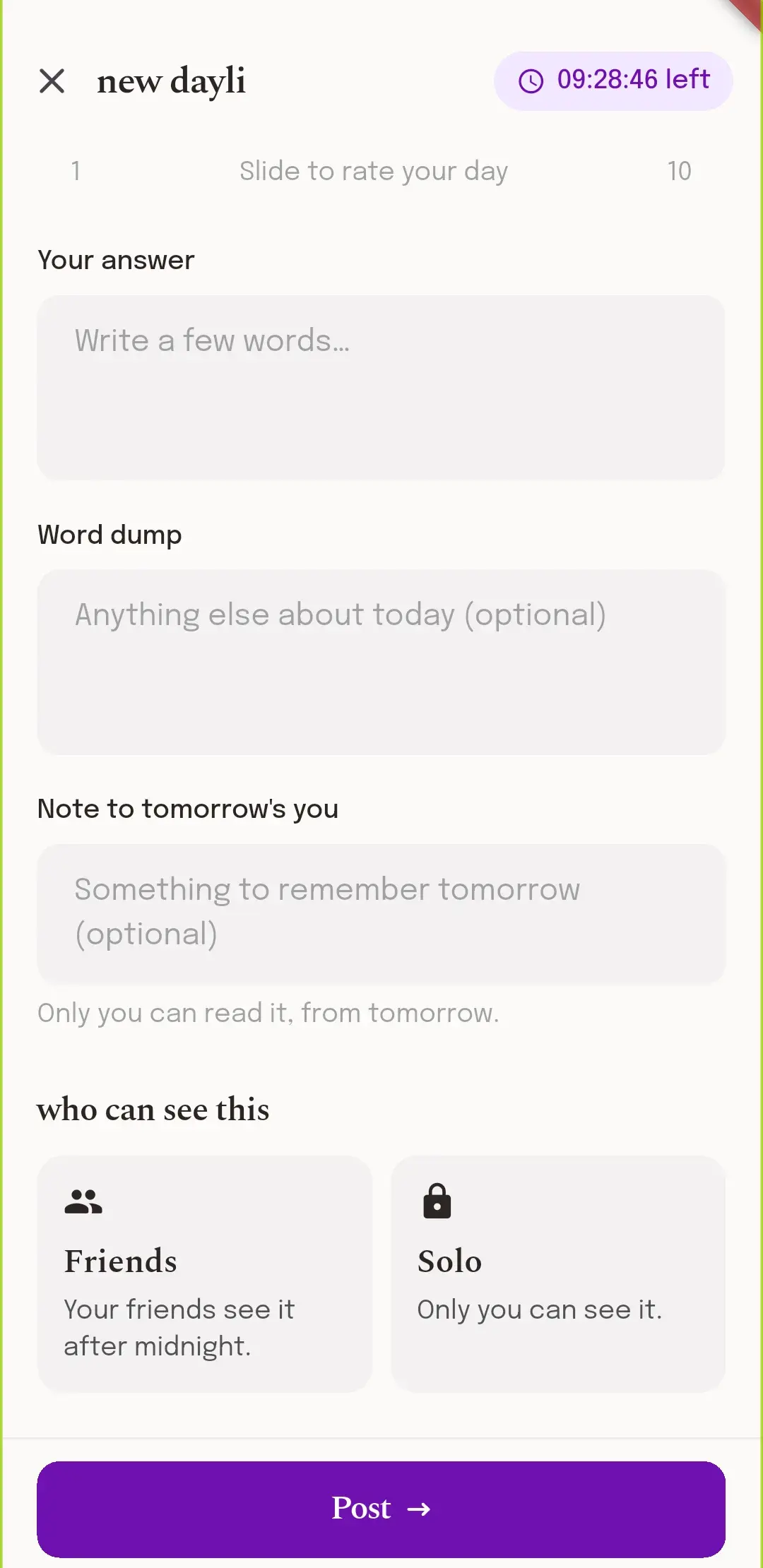
The composer makes you choose an audience before posting:
- Friends: The post is released after the next Auckland midnight. Active friends can read it. If your profile is public, anyone with the profile or post address can read it too. A signed-in account you have blocked cannot read it.
- Solo: Only you can see the post.
There is no default selection. The audience and profile visibility work together, so check both before posting. The friends feed remains limited to active friends; making your profile public does not put your posts in other people's feeds.
Your own archive marks a Solo post Only you. It marks a Friends post Not released yet until release time.
Dayli has direct profile and post pages on web and mobile. A signed-out reader can open a public profile at /u/{username} and a released Friends post at /u/{username}/{postId} on the web. Mobile supports the matching profile deep link and /posts/{id} post route. Private profiles show a restricted view, while Solo and unreleased posts remain unavailable.
These addresses follow the current profile setting. They are not separate share tokens, and there is no per-link revocation control. Making the profile private or changing a post to Solo removes public access on the next request. It cannot erase content someone already downloaded or captured.
Set profile visibility
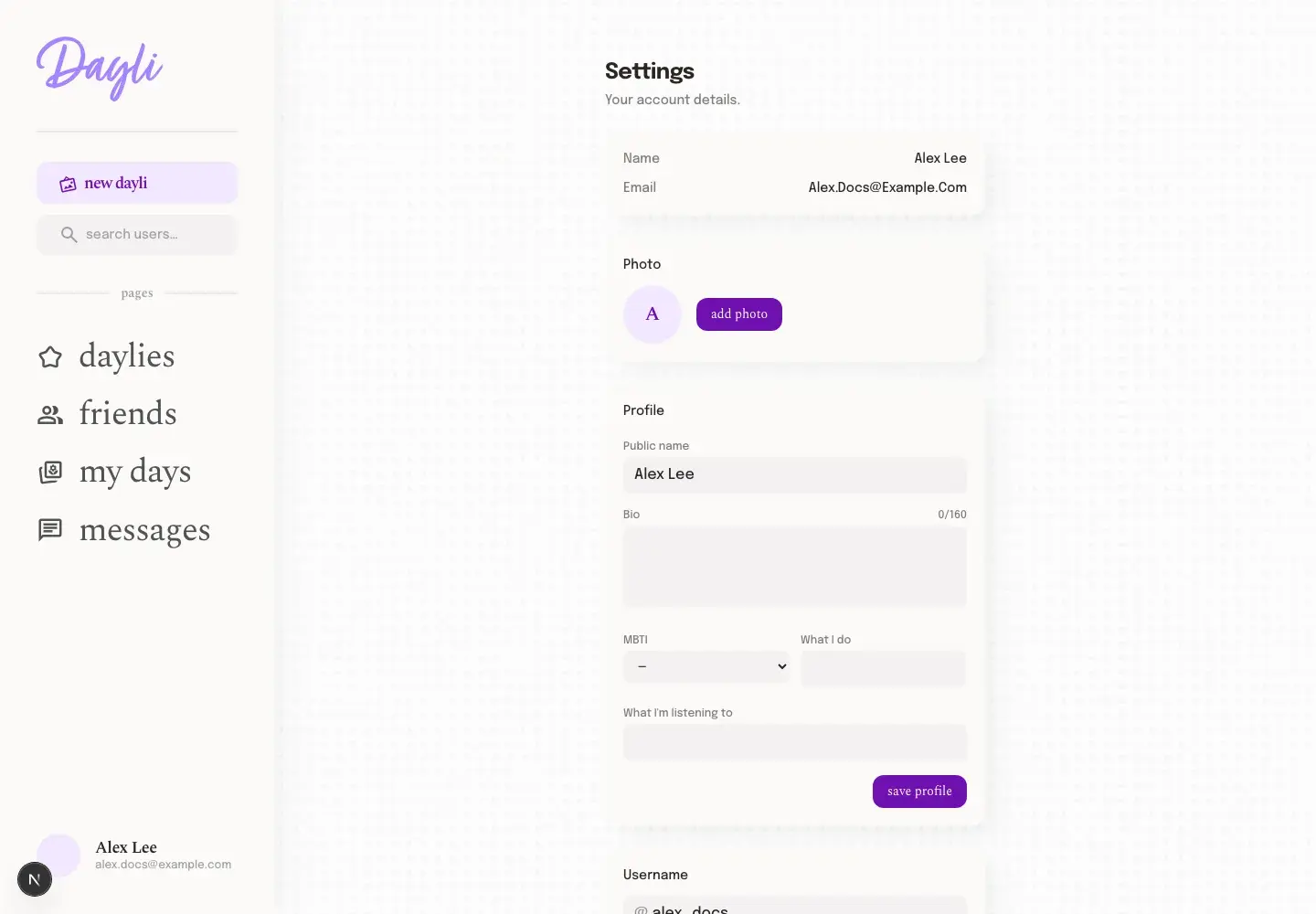
Open Settings on the web. On mobile, tap the profile circle at the top and open settings. The profile visibility choices explain who can see your bio and streak:
- A private profile limits profile details and released Friends posts to active friends.
- A public profile lets signed-in and signed-out readers see its public details and released Friends posts.
This setting does not override a Solo audience or release a Friends post early. Public readers do not receive owner-only profile fields.
Changing the setting also affects Friends posts you released earlier. Switching to public opens them to other readers. Switching back to private removes that access on subsequent requests.
Friends and changing access
Removing a friend ends friend-only access in Dayli. If your profile is public, that person can still read released Friends posts as a public reader. Make the profile private or change a post to Solo to remove that public route. None of these changes can erase a post or message somebody already saw, copied, downloaded, or captured.
Dayli has backend support for blocked relationships, but there is no block control in the current web or mobile interface.
Messages are a different sharing channel
Messages have their own inbox and request rules. A nonfriend can send one initial message request, while friends can begin an active conversation. Accepting a message request does not make the sender your friend.
Messages are not end-to-end encrypted. Dayli's authorized backend can read stored content to deliver and manage conversations. Use Unsend when it is available if you want to remove a sent message from the conversation, but remember that unsending cannot recall a message somebody has already seen or saved.
Weather and your location
If you add the weather on mobile, your post carries only three things: the weather, the temperature, and the name of a place such as a city. Dayli does not store your coordinates, and they are not sent to Dayli.
Your phone reads your approximate location once, and only after you choose Use my location. That location goes to the weather service (Open-Meteo.com) and to your phone's own place lookup, so they can find the weather and the place name. You can choose a place by name instead, which uses no location at all.
The weather has the same audience as the rest of the post: anyone who can open your dayli can see the place name. It appears only on the post itself, not in the feed or on profile lists, and it is removed with the post. The weather is what your phone reported when you added it. Dayli does not check it.
Notes to tomorrow's you
A note to tomorrow is stored privately with your dayli and is not part of the Friends post audience. Dayli does not yet have a reading screen for these notes. Reading them from the next day is planned.