
Creating your daily post
Write and submit today's Dayli on web or mobile.
Creating your daily post
A dayli is one reflection for the current Auckland calendar day. You can post once per day, and the server must accept it before midnight in Auckland.
Open the composer
On the web, choose new dayli in the navigation. The page is headed Post your Dayli!.
On mobile, tap the raised new dayli button in the middle of the bottom bar.
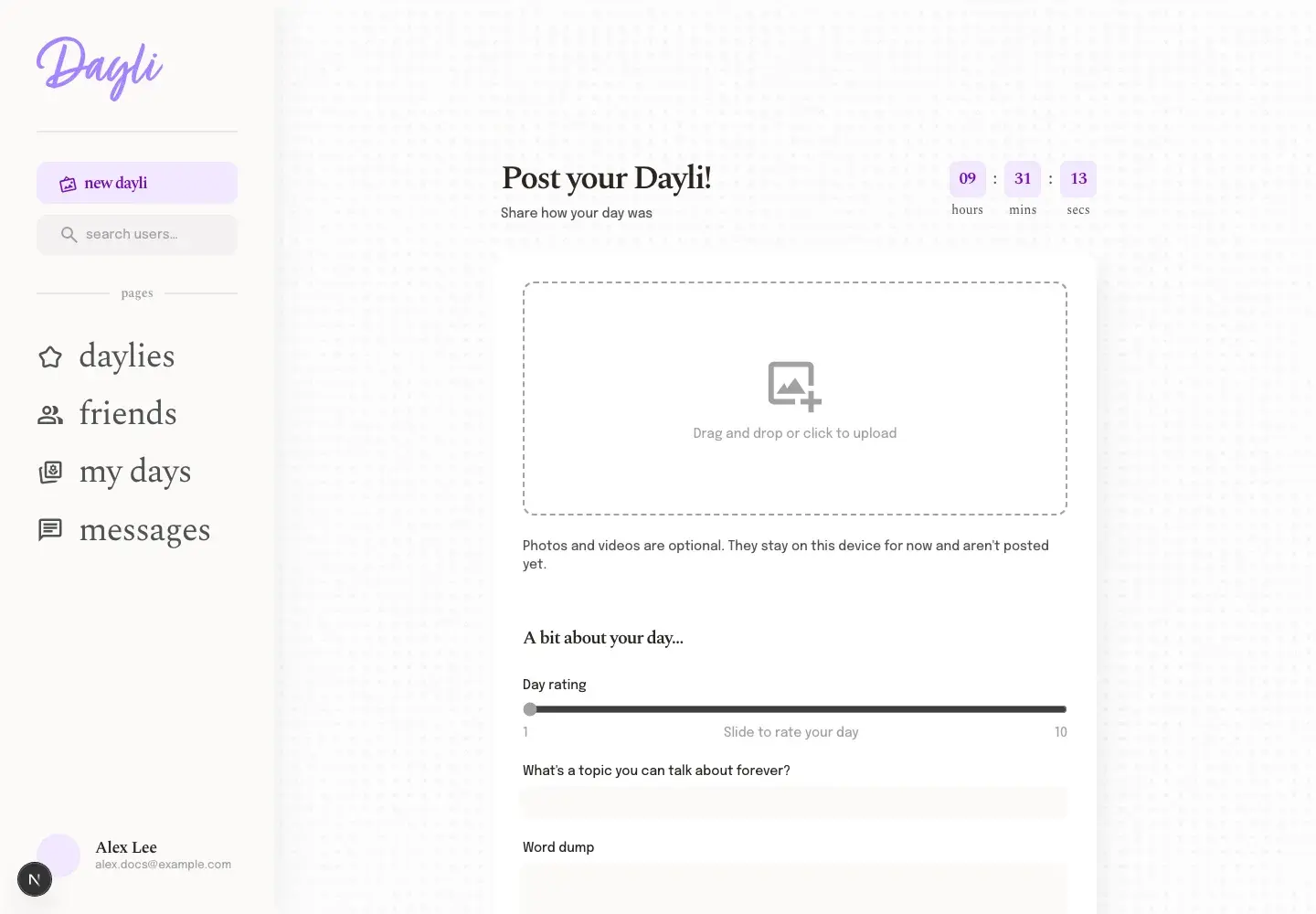
Fill in today's post
The composer asks for:
- Today's prompt: Write an answer of up to 4,000 characters. An answer is required.
- Rate your day: Choose a whole number from 1 to 10. A rating is required.
- Word dump: Add up to 1,000 characters if you have anything else to say. This is optional.
- Note to tomorrow's you: Add a private note of up to 1,000 characters. This is optional and is stored with your post.
- Who can see this: Choose Friends or Solo. Dayli does not choose for you.
Friends posts become visible to active friends after the next Auckland midnight. If your profile is public, other visitors can read those released posts too, including while signed out. Solo posts remain visible only to you. See Privacy and sharing for the full rule.
Dayli stores tomorrow notes, but there is no screen for reading them yet. Reading a note from the next day is planned.
Add media on mobile
On mobile, use your day in pictures to add either:
- up to 3 photos, or
- 1 video no longer than 15 seconds.
You can also add one recording under your voice. Tap once to start and again to stop. Dayli asks for microphone access only when you start recording, and you can listen before keeping the memo. A voice memo can be up to 60 seconds and 2 MB.
Each photo or video can be up to 10 MB. Photos, video, and the voice memo share a 25 MB limit for the post. Uploads work only in app builds and environments where media upload has been configured. Wait for uploads to finish before you tap Post.
Screenshot placeholder
UD-CDP-02: Mobile new dayli composer with safe sample media selected and the audience section visible.
The web composer also has a media picker, but selected files currently stay on your device and are not included in the post. The web composer does not record voice memos. If the media matters to your post, use a mobile build with uploads configured.
Add the weather on mobile
On mobile, the weather section can add what it was like outside, such as Rain · 11°C · Auckland. It is optional and appears on your post's detail screen.
Tap Add the weather. Dayli explains what it does first, and you can either use your location, choose a place instead, or skip this section entirely.
Screenshot placeholder
UD-CDP-03: Mobile weather section showing the explanation before the location prompt, using a simulator location and no real place.
Drafts and the deadline
Mobile saves your writing to protected storage on that device as you type. If the app closes, reopen new dayli on the same device to continue. A draft does not reserve the day, and writing offline does not bypass the deadline.
If a mobile draft misses midnight, its words remain available so you can read or copy them, but you cannot backdate and post it for the missed day.
The web composer does not persist a draft. Copy anything you want to keep before leaving or refreshing the page.
In every case, a post counts only after the server accepts it. Starting before midnight is not enough.
Post it
Check your answer, rating, and audience. On the web or mobile, choose Post. Keep the composer open while mobile media is uploading.
After posting, find your own dayli under my days or on your profile. Before a Friends post is released, it is marked Not released yet. A Solo post is marked Only you. Open a post in the mobile app to play its voice memo. Playback starts only when you tap it; feed and profile cards do not play audio.
Make a change after posting
Open your own dayli from my days or your profile. On web, choose Edit on the post detail page. On mobile, choose Edit from the post menu.
You can change your answer, word dump, rating, and audience, even after the post is released. The date, prompt, attached media, and tomorrow note stay as they were.
Dayli keeps earlier versions when you save a change. Text from a Solo version stays private, even if you later change the post to Friends. If another device saved an edit first, Dayli asks you to load the latest version rather than overwrite it silently.
For the details, see Reflection and history.