
Mobile app
Follow a Dayli Flutter feature through navigation, state, API clients, device storage, and tests.
Mobile app
A phone app does not stop being responsible for a request when a widget leaves the screen. A session can expire, the app can spend hours in the background, Android can end the process while the camera is open, and a second account can sign in on the same device. The interface must come back with the right person's data and a useful explanation when the network does not.
Dayli's Flutter app separates navigation, screen state, API transport, sessions, and protected device data for that reason. The result is plain Dart rather than a hidden framework convention. There is no Provider or Riverpod package in this app. Services come from an InheritedWidget, and controllers generally use ChangeNotifier.
The mobile app lives in apps/mobile. This page explains its current structure and follows the real friends feed from a route to rendered cards.
The shape of a mobile feature
A server-backed screen usually follows this path:
go_router route
  -> screen widget
  -> screen-owned controller
  -> app service interface
  -> generated-client wrapper
  -> Hono API
These are separate responsibilities:
- The router decides whether a session may reach a location.
- The screen owns widget lifecycle, navigation, and visible states.
- A controller owns state transitions and protects against overlapping asynchronous work.
- A client interface lets the controller use one small application model.
- A concrete wrapper supplies the bearer token, calls generated code, and maps transport failures.
The split pays off in tests. A controller test can hold one request open and prove that an older page cannot overwrite a newer refresh. A widget test can supply a fake client and check the retry button. A client test can inspect the actual Authorization header without constructing the entire app.
Startup and dependency injection
lib/main.dart is the composition root. A composition root is the one place that constructs long-lived concrete dependencies and connects them together. Dayli creates protected storage, the native Better Auth session, generated-client wrappers, messaging, optional notification services, draft support, media uploads, and voice recording there. The export client is present in code but stays absent from AppServices while nativeExportEnabled is false.
Those objects are collected in AppServices from lib/app/app_scope.dart. DayliApp places them above MaterialApp.router with AppScope, an InheritedWidget. A screen reads them with:
final services = AppScope.of(context);Keep construction in main.dart and behavior behind the narrow interface owned by its feature. Do not create a second API client or secure store in a widget's build method. Rebuilds would then create new state, and tests would have no clean place to provide a fake.
AppServices contains application-wide capabilities, not every piece of mutable screen state. The session and messaging controller are long-lived because they coordinate the whole signed-in app. The feed controller belongs to HomeScreen and is disposed with that screen.
Navigation and the session gate
lib/app/router.dart defines navigation with go_router. Public welcome and authentication routes sit outside the signed-in shell. A ShellRoute provides the tab interface for home, friends, the current profile, and messages. Full-screen routes such as /post, /settings, and /posts/:id sit above that shell.
The router listens to SessionController through refreshListenable. Its redirect handles four states:
unknownmay render/u/:usernameand/posts/:idwhile stored session restoration runs; other app routes go to/splash.signedOutmay use welcome, authentication, legal, and public content routes. Other routes go to/welcome.needsUsernameSetupstays in setup, with the current account export exception.signedInleaves welcome, splash, and setup routes for the home route, while public content routes remain valid.
A public action can pass through sign-in and return to the same profile or post. PublicReturnIntent binds that action to the resulting account, and the destination screen asks for another tap rather than submitting automatically.
This gate is navigation behavior, not API authorization. Every private API request still needs a current bearer token, and the server still decides whether that account may read or change a resource. When a client returns Unauthenticated, the screen or controller calls sessionExpired(). The notifier changes state, and the router takes the user back through the signed-out flow.
Use context.go when replacing the current location and context.push when the person should return to the previous screen. Home uses push('/post'), waits for the composer to close, and reloads the prompt and feed afterward.
Controllers and ownership of state
Most Dayli controllers extend ChangeNotifier. A screen constructs a controller once, listens with ListenableBuilder, and disposes it with the screen. This is enough for current feature state, and it keeps the lifecycle obvious.
A controller should own state transitions that would be awkward or unsafe inside build, such as:
- dropping a late response after a newer refresh
- keeping loaded items when a refresh fails
- saving a draft after edits settle
- preventing a second submission while the first is in flight
- mapping API outcomes into phases the widget can render
Widgets still own widget-specific objects such as TextEditingController and temporary presentation state. In the composer, ComposerController owns the saved DailyPostDraft, submission phase, validation, and delayed persistence. ComposerScreen owns text controllers, media sheets, and the binding between text fields and the current draft.
Do not introduce a global controller because two widgets need the same value. First decide who owns the value and how long it should live. Screen data usually belongs to that route. Session-bound integrations belong to SessionController or the app-wide service that already coordinates them.
API clients and generated code
Feature interfaces and wrappers live under lib/api or with the feature when the transport is more specialized. For example, FeedClient exposes one method returning ApiResult<FeedPage>, while GeneratedFeedClient is the concrete implementation built in main.dart.
Wrappers have work to do even though Dayli generates a Dart client:
- read the current bearer token
- configure the generated
ApiClientwith the environment base URL - return
Unauthenticatedwithout sending a request when no token exists - map socket, generated client, status, and decoding failures into
ApiFailure - project a generated response into the smaller model a screen needs
Generated methods may return nullable values even for responses that the contract expects. GeneratedPostingDayClient checks that result before constructing PostingDay. The feed wrapper currently calls postsListFeedWithHttpInfo and decodes the body into app models. That path preserves the app's defensive item parsing and the established nullable caption behavior.
Do not hand-edit packages/api-client-dart, and do not make a widget depend on generated exception classes. If the HTTP agreement changes, update its authored contract and regenerate both clients. API contracts and generated clients explains the workflow, nullability checks, and date-only handling.
ApiFailure in lib/api/api_failure.dart is the shared transport-independent vocabulary. Add a feature-specific result when the screen needs more detail than a broad Conflict or ServiceUnavailable. Keep the server as the authority for permissions and business rules.
A real walkthrough: the friends feed
The mobile feed demonstrates the whole path without requiring a large framework.
1. Navigation creates the screen
The shell route / builds HomeScreen. The router only allows it while SessionController.status is signedIn.
In didChangeDependencies, HomeScreen gets the app's FeedClient from AppScope, creates one FeedController, and starts _load(). It also loads the current posting day through PostingDayClient. The controller is disposed when the screen leaves the tree.
2. The controller owns pages
FeedController specializes PostPager<FeedPost>. PostPager tracks whether the first page has settled, the cursor, loaded posts, refresh and next-page failures, and whether another page is available.
A refresh replaces the visible list when it succeeds. When refresh fails, earlier posts stay visible and the screen can say that they are stale. A generation counter drops a late next-page response after a newer refresh, so two asynchronous requests cannot quietly mix old and new feeds. Appending a page also removes duplicate post IDs.
3. The wrapper adds the current identity
GeneratedFeedClient.page asks BetterAuthNativeSession.bearerToken for the active token. It creates generated HttpBearerAuth, calls PostsApi, maps failures, and parses FeedPage.
Identity is retrieved for each call rather than captured as a string at app startup. BetterAuthNativeSession refuses to expose a quarantined old token. On sign-out or account replacement, SessionController fences late startup work and clears session-bound messaging state before the new account can take over.
Feed state is screen-owned rather than stored in a process-wide cache. When the signed-in navigation tree leaves, its screen and controller leave too. Other long-lived private state, such as messaging, has explicit clearing hooks in SessionIntegrations. A new long-lived cache must have the same account replacement and sign-out story before it is added.
4. The screen renders the result
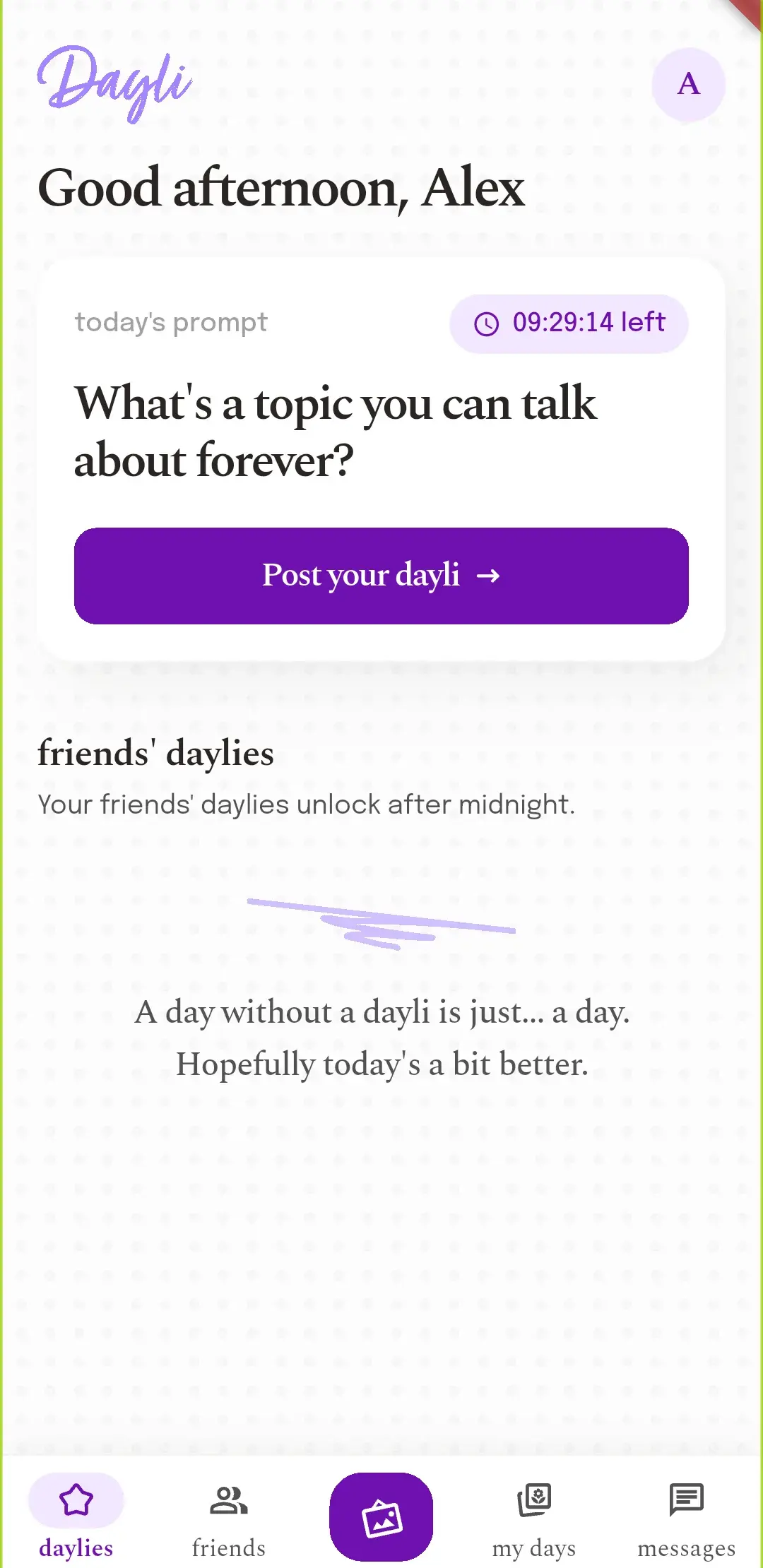
HomeScreen listens to FeedController and renders distinct outcomes:
- a progress indicator before the first request settles
- an offline or general failure with "Try again" when no posts exist
- a friendly empty message after a successful empty page
- post cards when records exist
- a stale-data message when refresh fails after records were loaded
- a separate next-page error while keeping earlier cards visible
A 401 calls sessionExpired() instead of becoming a generic feed error. If a cursor crosses midnight, the client returns Expired; home reloads from the first page because the old and new Auckland feed days should not be combined.
The app reloads the prompt and feed when it resumes. A phone can return after midnight, so the data visible before backgrounding is not assumed to describe the current day.
Protected sessions, drafts, and platform limits
The mobile app uses bearer sessions rather than browser cookies. BetterAuthNativeSession receives set-auth-token after authentication and stores it through FlutterSecureStorage. API wrappers send it only in the Authorization header.
The same protected storage instance backs the token, cached identity, pending capture ownership, and daily drafts. A DailyPostDraft is keyed by user ID and contains its Auckland date, prompt, fields, idempotency key, and attachment references. ProtectedDraftStore stores its JSON in iOS Keychain or Android KeyStore-backed encrypted storage. Draft text does not go to shared preferences or ordinary files.
Protected storage has limits worth designing for:
- A platform key can become unavailable or an entry can be corrupted. The draft store discards an unreadable entry and reports that it did so.
- iOS may keep Keychain entries after app deletion.
clearProtectedStorageAfterReinstalluses a shared-preferences installation marker and wipes protected entries on the first launch of a new installation. - A session expiry keeps the unsent draft so the same author can recover it after signing in. An explicit sign-out removes that user's draft and compressed media.
- Attachment paths point to device files. They are not the media bytes, and the files may disappear outside the app's control.
- Presigned upload URLs are short-lived credentials and are deliberately not saved in drafts.
SessionController may use a protected cached identity during a temporary outage so an existing author can keep drafting offline. The identity is not a credential. API calls still require the stored bearer and server approval.
Do not use shared preferences for tokens or draft content. It is used for the non-secret fresh-install marker. Also avoid logging tokens, private draft text, signed media URLs, or authentication responses.
Build-time configuration is public
AppConfig.fromEnvironment() reads values supplied with --dart-define. DAYLI_API_BASE_URL is required. Google client IDs enable optional sign-in. DAYLI_FIREBASE_CONFIGURED enables the registered staging Firebase project only in Android or iOS debug builds, and defaults to false. Release and profile builds reject an enabled Firebase switch rather than connecting to staging.
Dart defines are compiled into the app. They are suitable for API origins, OAuth client IDs, and feature switches, but not secrets. Anyone with the application artifact can inspect public configuration. The typed Firebase mobile options are public client metadata for the registered staging apps. Provider secrets, service-account files, APNs keys, private keys, API credentials, and signing material do not belong in a define or in source control.
The mobile Firebase integration is for Cloud Messaging only. Authentication remains on Better Auth and application data remains in PostgreSQL. Firebase Authentication, Firestore, and web push are not part of this configuration. Apple signing, provisioning, APNs provider setup, and physical-device delivery checks remain owner-operated tasks. See the mobile README for the debug command and platform setup.
The development CA define is a special debug-only input used to trust the local mkcert root. Release and profile builds ignore that path. Follow Environments for supported run commands and device connection details rather than copying certificate commands into feature notes.
Screens, theme, and shared UI
Feature screens live in directories such as home, friends, profile, compose, and messaging. Keep a widget with its feature when it knows that feature's models or actions. Shared controls that do not own product behavior live in lib/ui, while lib/shell owns the signed-in navigation frame. Public profile and post routes sit outside that shell when signed out, then reuse the same screens with optional-session API reads.
lib/app/theme.dart owns the app theme, Dayli color extension, typography helpers, tracking values, and shared shadows. Reuse those helpers and the established controls such as DayliButton, FormInput, and the surfaces in lib/ui/surfaces.dart. Do not move a post card or composer input into lib/ui merely because it looks reusable. Shared ownership should come before a shared directory.
Loading, empty, and failure states
Mobile network state changes often, so a useful screen distinguishes these cases:
- Initial loading has no result yet.
- Empty is a successful result with no records.
- Refresh failure can keep earlier records visible and label them as stale.
- Next-page failure must not remove the pages already shown.
- Unauthenticated means session state must change.
- A permanent action failure may need a field message or a new controller phase rather than a generic snack bar.
ApiResult<T> makes success and failure explicit. Pattern matching on ApiSuccess and ApiError keeps every branch visible. A controller can then retain valid state when a request fails instead of replacing the whole screen with an error.
The composer goes further because losing words is expensive. It has phases for loading, editing, accepted, missed deadline, an already posted day, and unavailable data. It saves before submission, reuses an idempotency key for retries, and clears the draft only after acceptance. Voice recording has its own controller for permission, duration, local playback, file cleanup, and upload retries. This is feature behavior, not a pattern every simple read screen needs to copy.
Add a feature and its tests
For a new server-backed mobile screen:
- Add the route in
lib/app/router.dartand decide whether it belongs in the signed-in shell or above it as a full-screen page. - Define the narrow app model and client interface. Put the generated-client wrapper under
lib/apior the existing feature owner. - Construct the concrete client in
lib/main.dartand add it toAppServicesif screens need it. - Add a screen-owned
ChangeNotifierwhen asynchronous state has enough transitions to deserve one. Dispose it with the screen. - Handle missing bearer,
401, offline, service failure, empty success, refresh failure, and pagination where applicable. - Add tests at the narrowest useful boundary.
Current tests live under apps/mobile/test and mirror feature names rather than source directories exactly. The feed has three useful layers:
feed_client_test.dartchecks bearer headers, status mapping, decoding, malformed items, media, and midnight cursor expiry.feed_controller_test.dartchecks pagination, deduplication, stale-data retention, and overlapping requests.home_feed_test.dartchecks rendered cards, empty and retry states, session expiry, resume reloads, and paging.
Use in-memory stores and fake interfaces from test/support for widget and controller tests. Test platform storage behavior separately with the plugin's test support, as draft_store_test.dart does.
The repository also has integration_test/auth_navigation_smoke_test.dart. It runs on a selected Flutter target, but its services are fake. It proves that the built widget tree can complete that navigation journey. It does not prove a live API, secure storage implementation, Google sign-in, camera, notifications, TLS, or behavior on a physical phone. An emulator is useful evidence, but it is not live-device proof either.
The API __tests__ convention in Repository structure is merged into main and does not apply to Flutter. Keep mobile tests in apps/mobile/test and device-targeted tests in apps/mobile/integration_test.
Focused checks
Run focused mobile checks from the mobile workspace:
cd apps/mobile
flutter test test/feed_client_test.dart
flutter test test/feed_controller_test.dart
flutter test test/home_feed_test.dart
flutter analyze
Run the whole host suite with:
cd apps/mobile
flutter test
A widget test uses Flutter's host test runtime and usually replaces plugins and services. It does not contact a deployed API or prove native platform behavior. A device-targeted test still proves only the dependencies it actually uses.
Read Testing before choosing broader evidence. Local setup and Environments cover running the app without duplicating device and certificate setup here. If a feature changes an HTTP request or response, follow API contracts and generated clients and regenerate both app clients together.